 Watashi Games
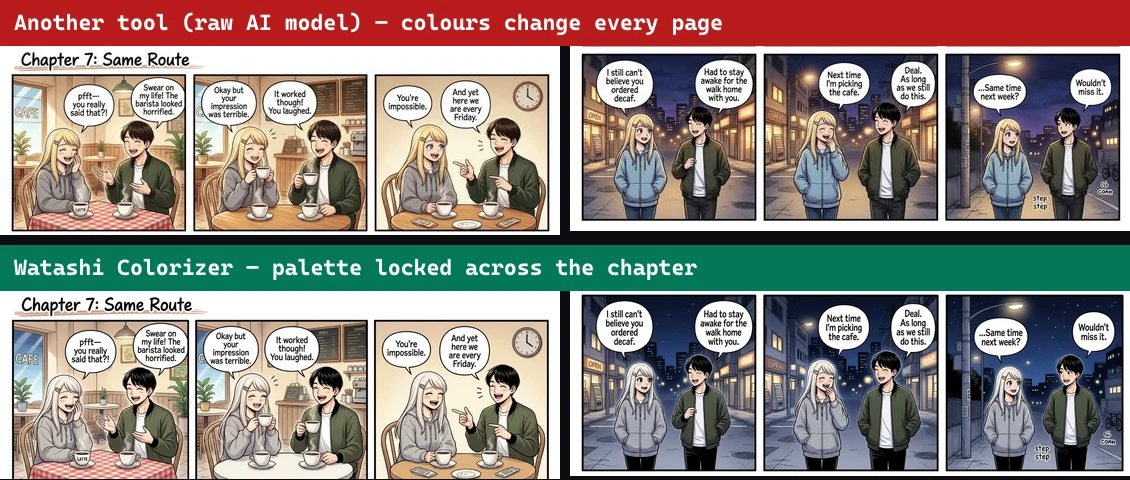
The Test: One Chapter, Four Colorizers
Most "best AI manga colorizer" lists rank tools on a single cherry-picked panel. That's not how anyone actually reads manga. A real chapter is dozens of pages with the same characters appearing over and over — and that is exactly where every tool either holds together or falls apart.
So we ran the same black-and-white manga pages through the four tools people reach for most: Google Gemini ("Nano Banana"), NovelAI's Colorize tool, Manga Colorizer (mangacolorizer.com — the current #1 Google result), and our own pipeline, Watashi Colorizer. Same input, same prompt, no palette-tuning advantage for anyone.
The results were not close. Below is the head-to-head — with the actual images — on the four things that decide whether a colorized chapter is usable: color consistency across pages, output resolution, text and art fidelity, and content support.
Watashi vs Gemini vs NovelAI vs Manga Colorizer, At a Glance
Every claim below is demonstrated with real output later in this article — no marketing hand-waving.
- Same character colors across a chapter
- Output matches your exact input size
- Speech text kept crisp & readable
- Never redraws / hallucinates your art
- Handles NSFW / explicit manga
- Built for whole chapters (batch)
1. Color Consistency: The Chapter Killer
Here is the single most important test, and the one every ranking skips. We took the same two characters across two pages and colorized each page independently — exactly what happens when you feed a chapter into a one-image-at-a-time tool.
A raw model has no memory of the previous page. So it re-guesses every color from scratch: the girl's hoodie is one color on page 1 and a different color on page 2; hair shifts, outfits shift, and your protagonist quietly turns into a different person. Watashi Colorizer locks a character's palette and carries it across every page — so page 1 and page 500 match.
2. Text & Art Fidelity: Colorize, Don't Redraw
A colorizer has exactly one job: add color and change nothing else. General-purpose image models can't help themselves — they redraw. In our tests, NovelAI garbled the English speech-bubble text into unreadable AI mush, and in one festival page it replaced a woman catching a fish with a plate of food — inventing a new scene that was never in the art.
That is disqualifying for manga. If the tool rewrites what happens in a panel, it isn't colorizing your story — it's making up a different one. Watashi Colorizer masks and preserves every speech bubble, line, and panel divider, so the text stays crisp and the art stays exactly as the artist drew it.
Gemini keeps text reasonably intact on a single page, but it still has no way to protect dense text or pure-black gutters at scale — and it inherits the resolution problem below.
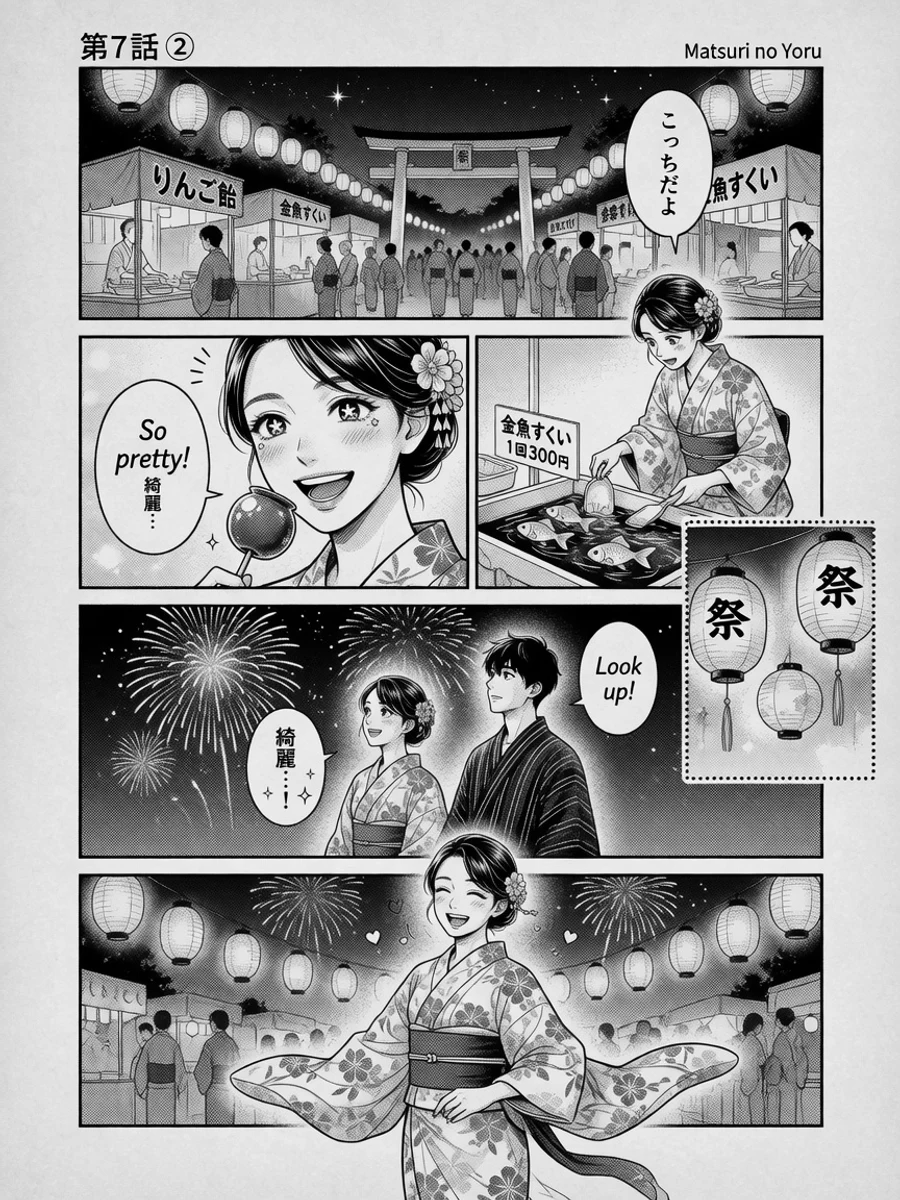 B&W
B&W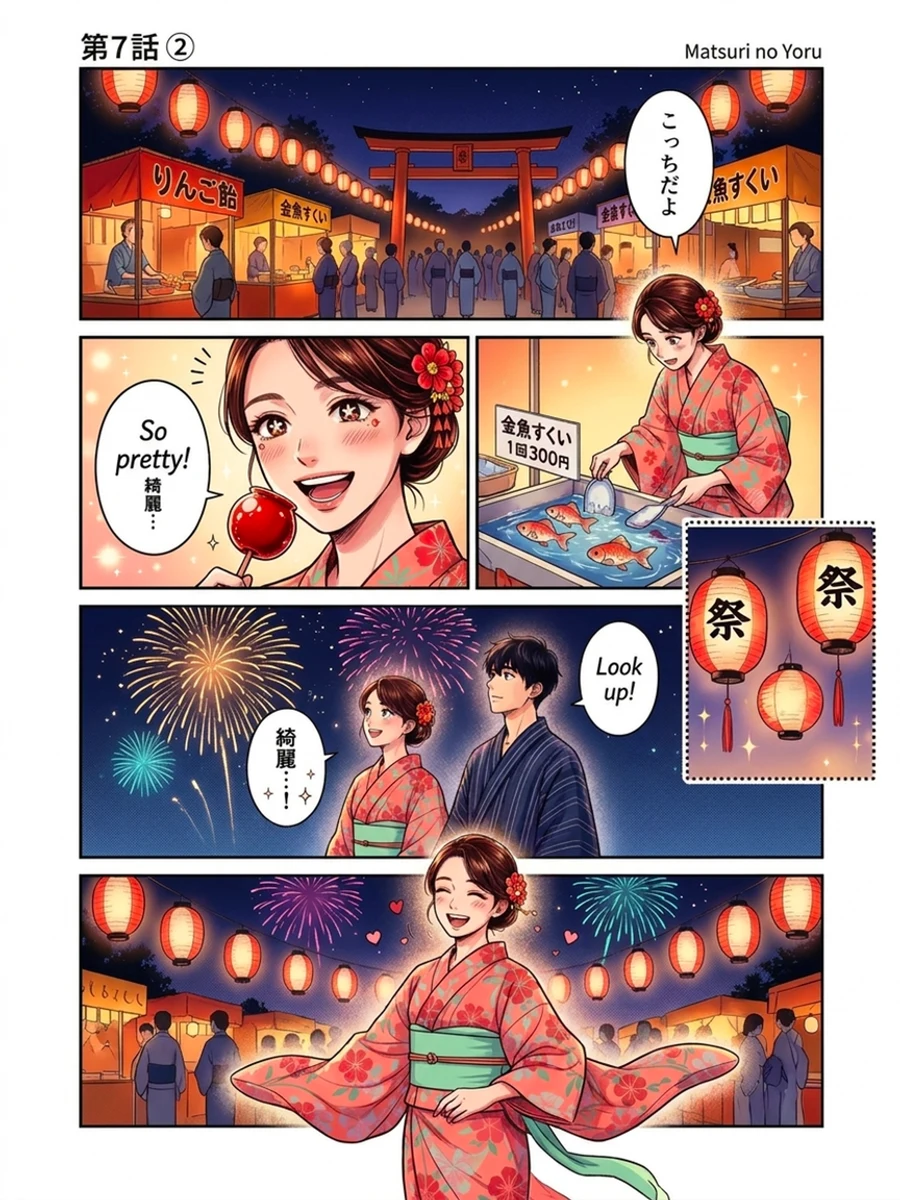 Color
Color3. Resolution: Your 900×1200 Page Comes Back 896×1195
This one is invisible until you assemble a chapter, then it's maddening. Every general model re-renders to its own grid. Feed Gemini a 900×1200 manga page and it hands back 896×1195 — a few pixels off, every time. NovelAI downscales anything over ~1 megapixel (its tier cap), so your hi-res scans lose detail. OpenAI's image model outputs fixed sizes entirely.
Watashi Colorizer returns pixel-exact output at your input dimensions — 900×1200 in, 900×1200 out. Your colorized pages drop straight back into your CBZ, your reader, or your raws with zero re-cropping. Across a 200-page chapter, that's the difference between a finished release and a weekend of manual fixups.
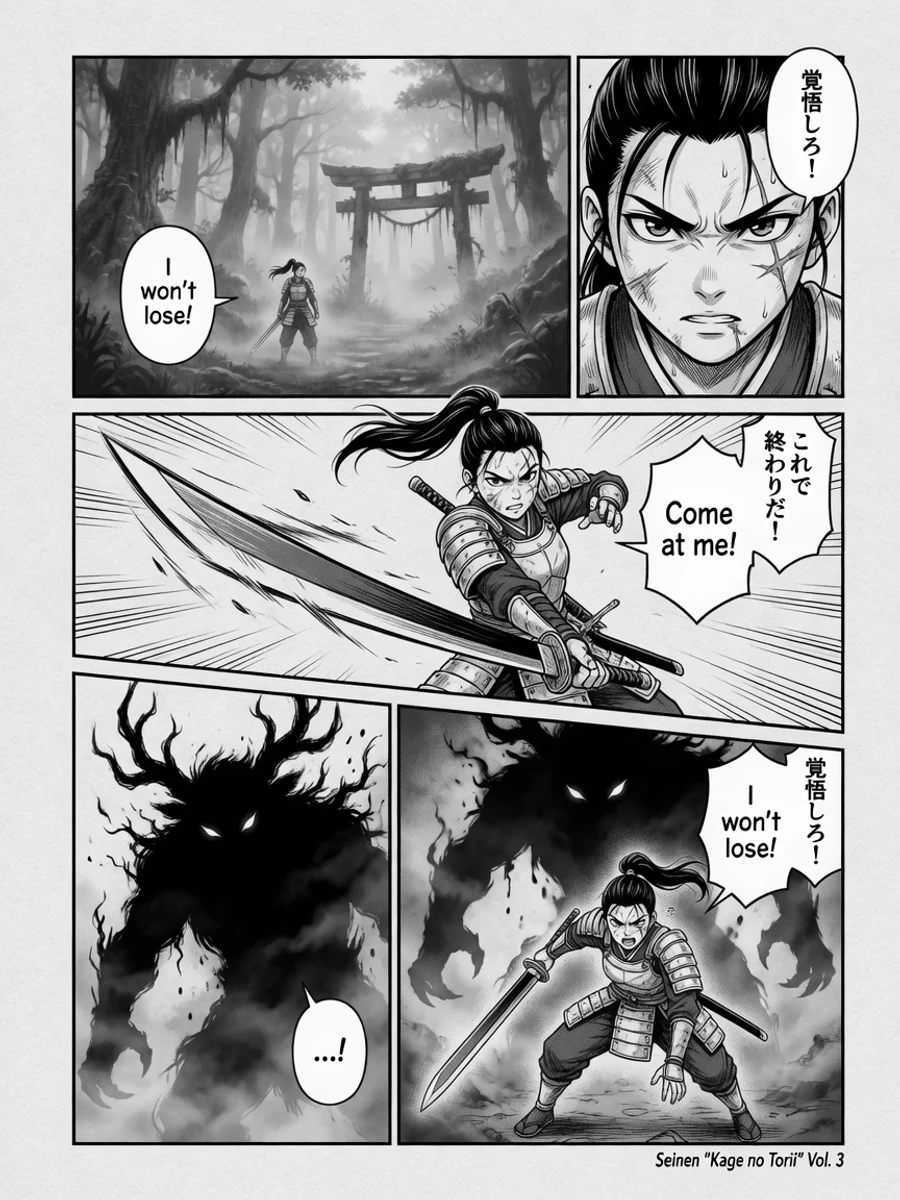 B&W
B&W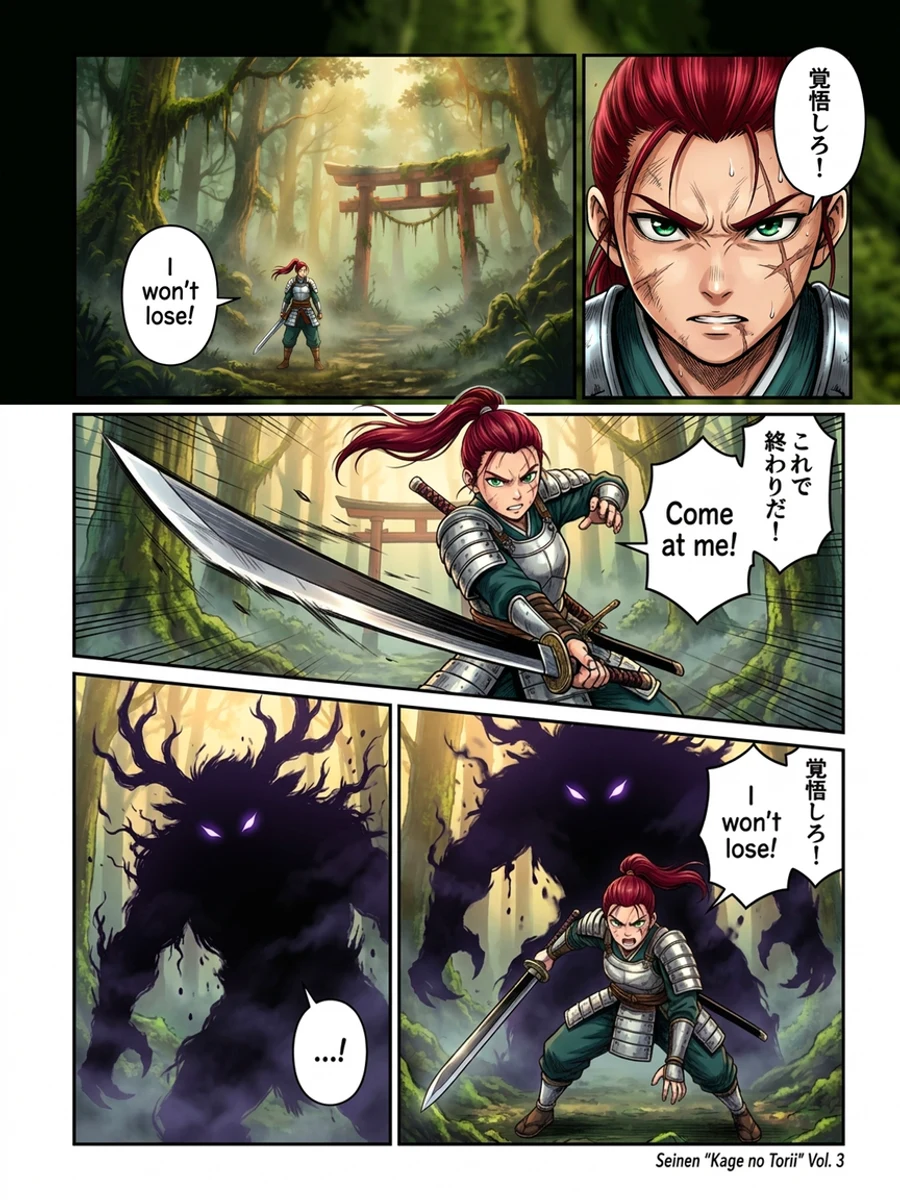 Color
Color4. Content: Half of Manga Is Off-Limits Elsewhere
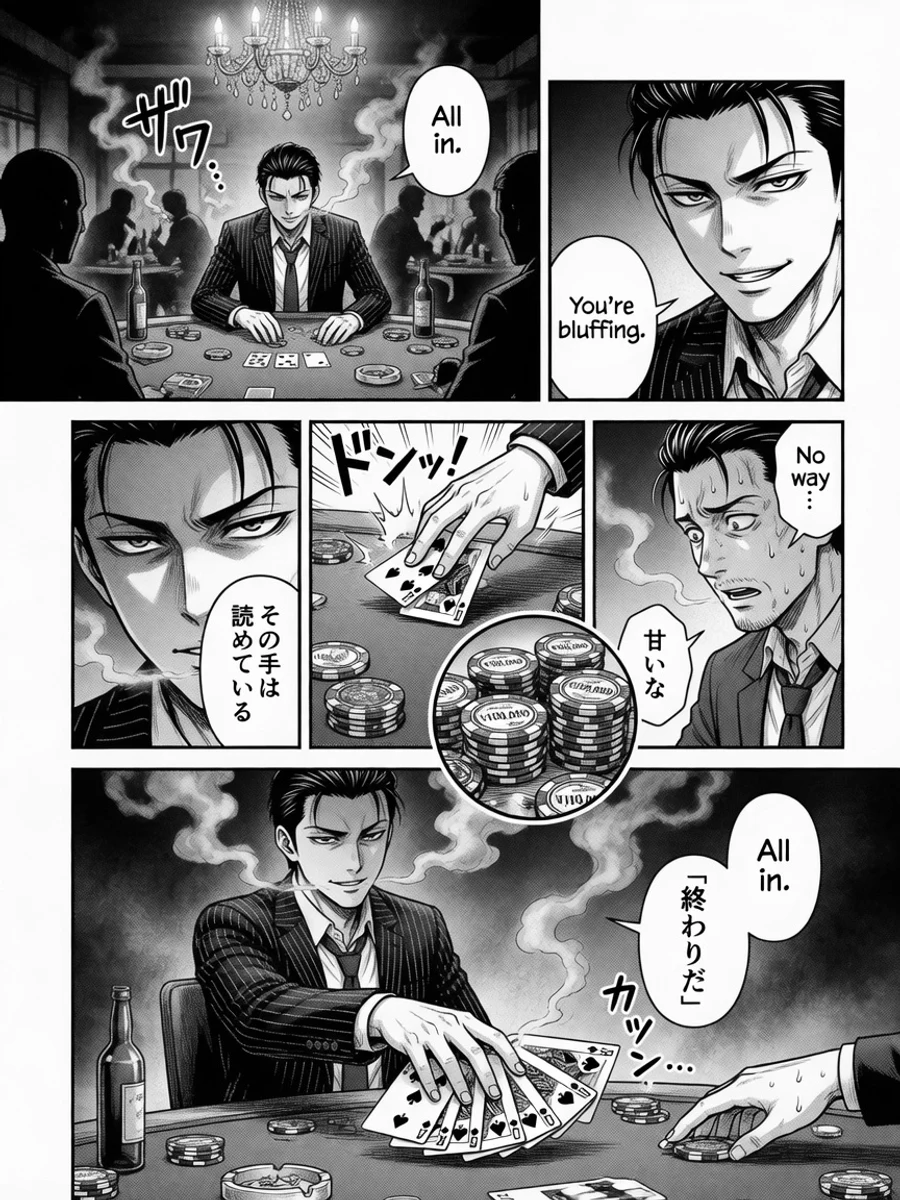
Manga isn't all wholesome. Beach chapters, fight scenes, romance, and outright NSFW are a huge slice of what people actually want colorized. Gemini and OpenAI refuse explicit content outright (a hard content-safety block), and Manga Colorizer has no NSFW option at all.
Watashi Colorizer runs an uncensored, self-hosted model for adult content, so an explicit chapter colorizes as cleanly as a shonen one — while still preserving text, art, and consistency. It's the same pipeline, no matter the content.
 B&W
B&W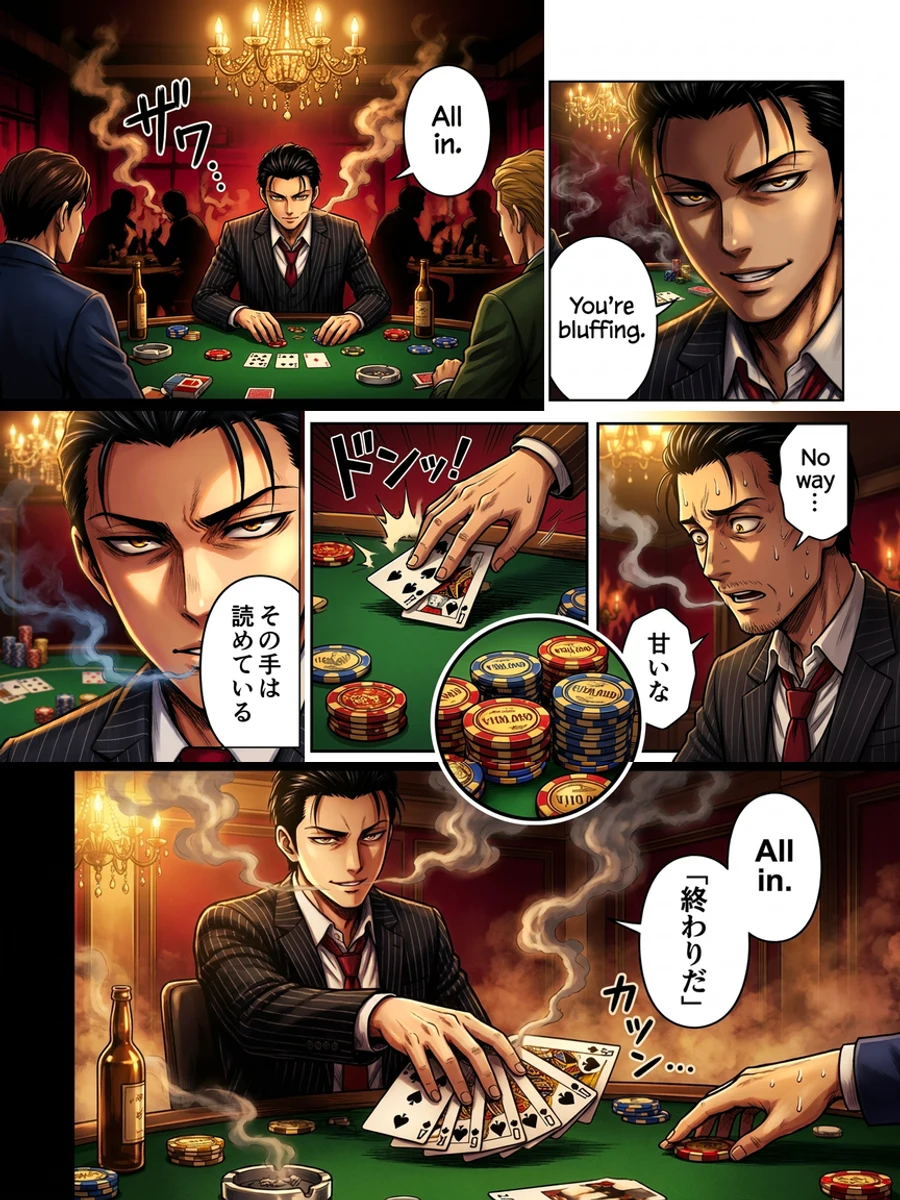 Color
Color5. The #1-Ranked Tool Didn't Even Finish
It's worth naming: the current top Google result for "manga colorizer," mangacolorizer.com, is a thin wrapper around a single OpenAI model. In our testing it took close to two minutes for one simple image, offers no NSFW support, and on a real page it failed to return a usable image at all. The most-visible tool in the category is the least reliable one — which is exactly why "most popular" and "actually good" aren't the same thing here.
The Bottom Line
Gemini and NovelAI are capable models — for a single hero panel. But a chapter is not a panel. The moment you need color to stay consistent across pages, text to survive, art to be preserved, dimensions to match, and adult content to be allowed, a one-image-at-a-time wrapper has no answer. Those aren't prompt problems; they're architecture problems.
Watashi Colorizer is a purpose-built manga colorization pipeline, not a wrapper: palette-locked consistency across a whole chapter, pixel-exact output, preserved text and line art, and uncensored support — so a finished chapter looks like one artist colored it in one sitting. Upload a page and see the difference on your own art.