 Watashi Games
The Slop Is Not Your Imagination
You upload a chapter to some free AI colorizer. Page one looks decent. By page five your protagonist's hair has quietly changed from black to brown. By page ten a speech bubble is smeared into the background, a panel gutter is filled with hallucinated mush, and a face has melted into the uncanny valley. That's AI slop — and it's not bad luck. It's architecture.
Almost every "AI manga colorizer" online is the same thing under the hood: a thin wrapper around one general-purpose image model. Upload an image, the model guesses colors, you get it back. That's the whole product. It works for a single hero panel and falls apart the moment you need a chapter.
We built the opposite. Not a wrapper — a pipeline. This article is about why the wrapper approach is structurally doomed to produce inconsistent results, and what we do differently to keep an entire series looking like one artist colored it in one sitting.
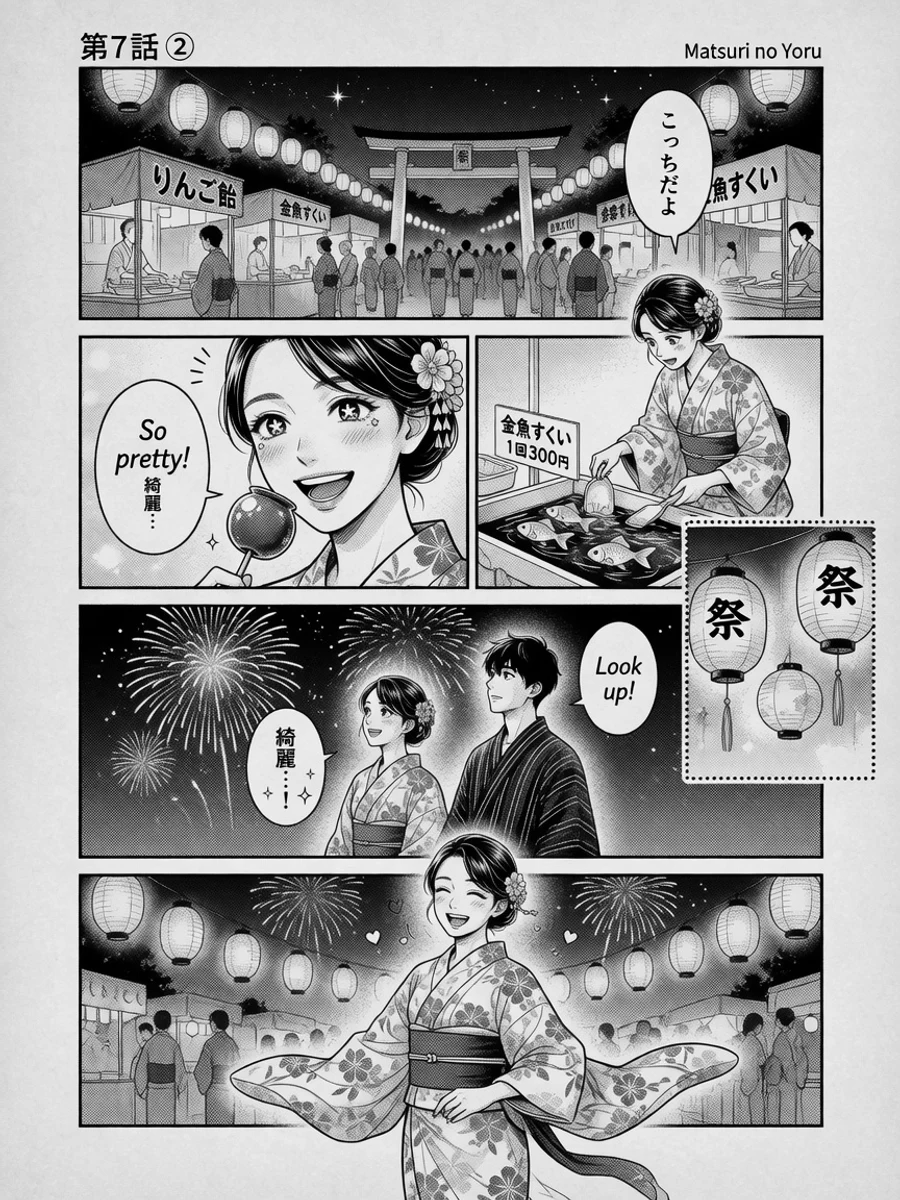 B&W
B&W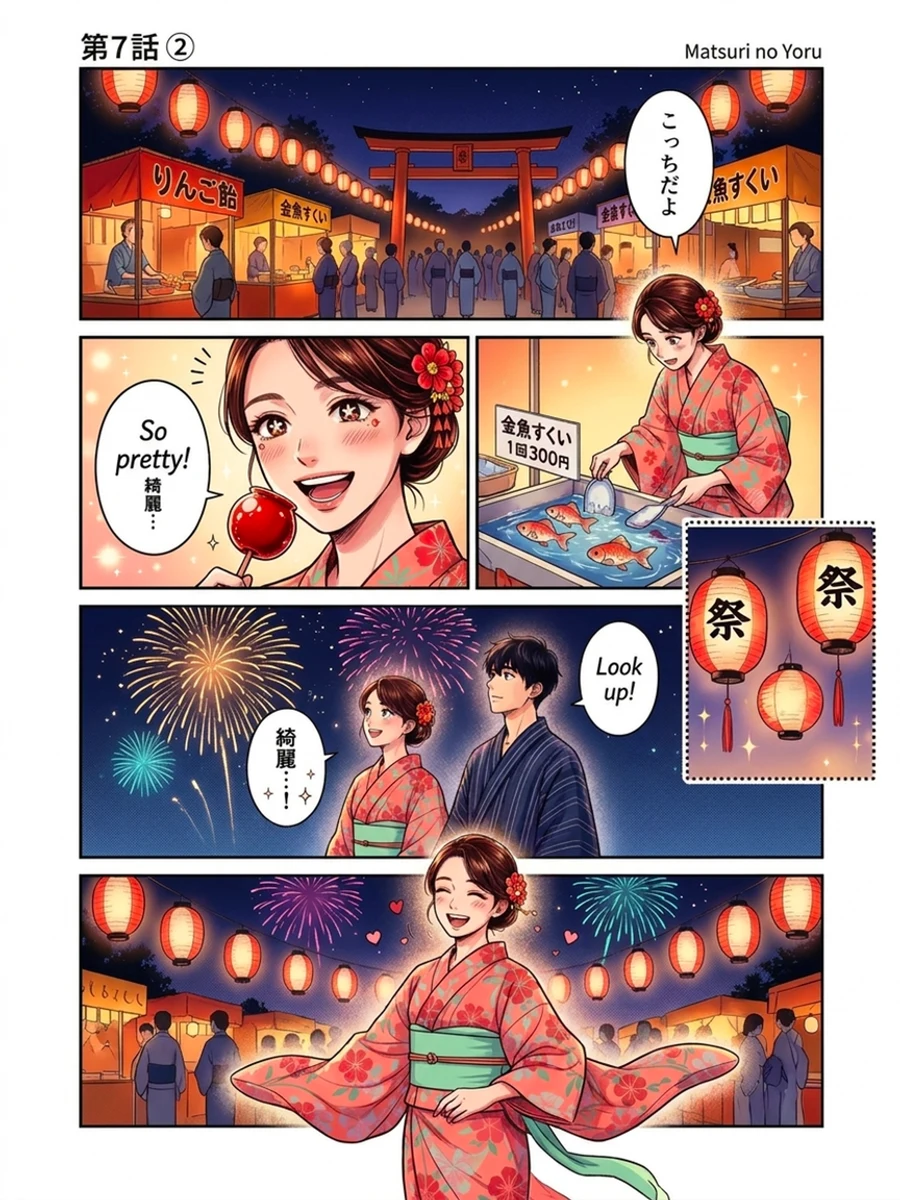 Color
ColorWhat "AI Slop" Actually Looks Like
Once you know the tells, you can't unsee them. Wrapper colorizers fail in four predictable ways.
- Color drift. The single most common failure. A character's hair, eyes, and outfit get re-guessed on every single page, because the model has no memory of the last one — brown hair here, auburn there, near-black in the dark panel. Across a chapter it reads as sloppy; across a series it's unusable.
- Hallucinated detail. General models can't leave well enough alone. They "helpfully" fill solid-black panel dividers with invented texture, paint over screentone, and add details that were never in your line art.
- Warped text and faces. Because these tools shrink your page to a small working size, dense text and fine facial features come back as garbled approximations.
- Per-page style roulette. Lighting mood, saturation, and palette shift from page to page, so a finished chapter looks like it was passed around a dozen different colorists.
Why a Wrapper Can Never Fix This
These aren't bugs a wrapper site can patch — they're consequences of the approach. A general image model processes one picture in isolation. It has no concept of "this is page 34 of a story where the lead wears a navy jacket." Every request starts from zero.
So the site is stuck. It can't guarantee your character's colors, because it isn't tracking your character. It can't protect your black gutters or your text, because it doesn't know which marks are structure and which are art. It can't keep a scene's lighting consistent, because it never saw the scene — only a single frame of it. Prompt-tweaking around a model you don't control is guess-and-pray, not engineering.
You can always spot a wrapper: one image at a time, no character memory, no palette control, and results that look great in a cherry-picked demo and fall apart on your actual chapter.
What a Purpose-Built Pipeline Does Instead
We didn't wrap a model — we built a colorization system around it, aimed squarely at the thing that matters: consistency across a whole body of work. At a high level, here's what that buys you.
- Character palettes. You define a character once — hair, eyes, skin, signature clothing — and those colors are enforced on every page that character appears in. The lead's jacket is the same navy on page 2 and page 502.
- Cross-panel context. The pipeline colors your pages with awareness of the scenes around them, so colors and lighting carry across a sequence instead of resetting on every frame.
- Scene-aware processing. It understands the difference between structural black, screentone, text, and art — so dividers stay clean, dense text survives, and dark scenes don't get "corrected" into mud.
- Consistency at series scale. The whole point. Upload chapter after chapter and the world stays coherent: the same character, the same environment colors, the same look, start to finish.
- Real control and original output. Direct the colors with plain-language instruction, fix any single panel in edit mode, process whole chapters in bulk, and download at your exact input resolution — no downscaled, re-compressed surprises.
We're not going to hand you the internals — the specific machinery is the part competitors can't copy. But the outcome is the pitch: you get a colored chapter you could publish, not a bag of pretty-but-unrelated images.
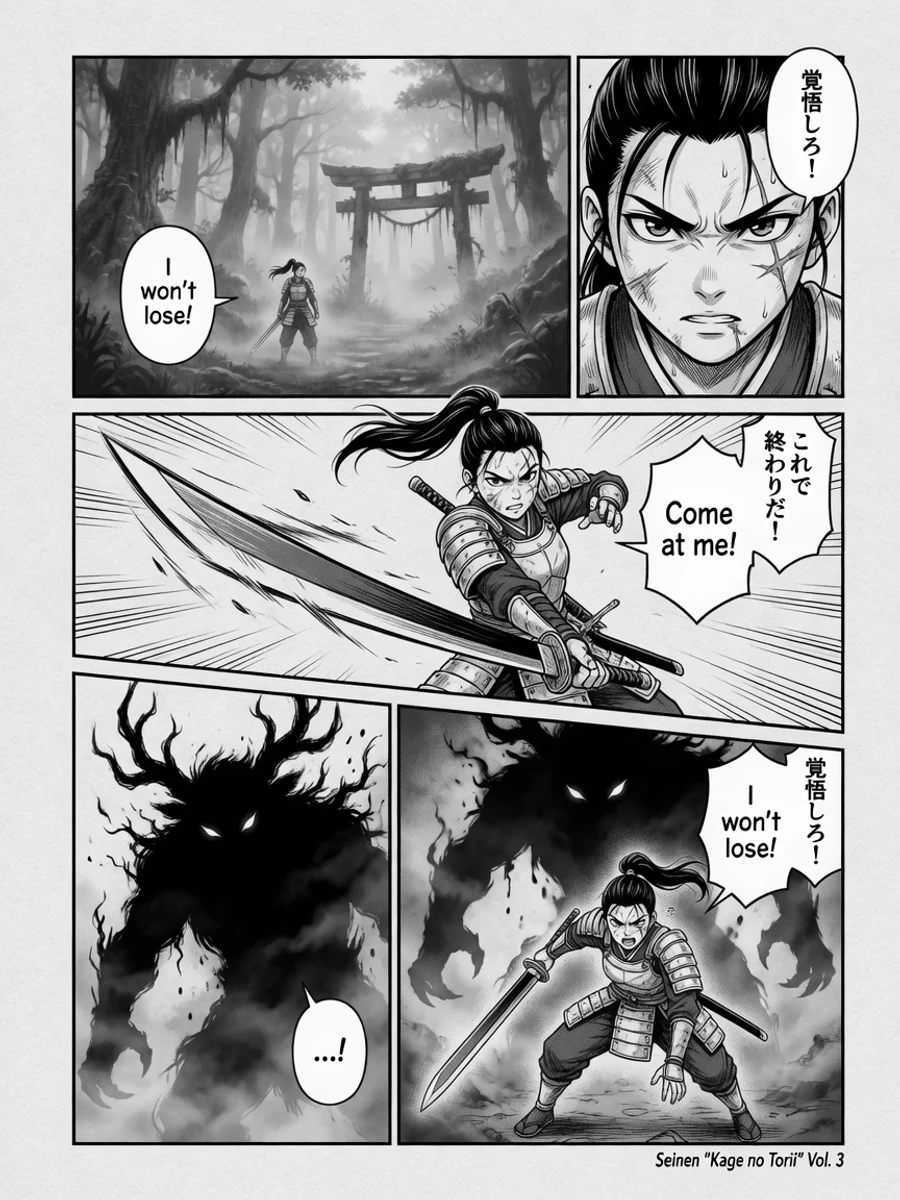 B&W
B&W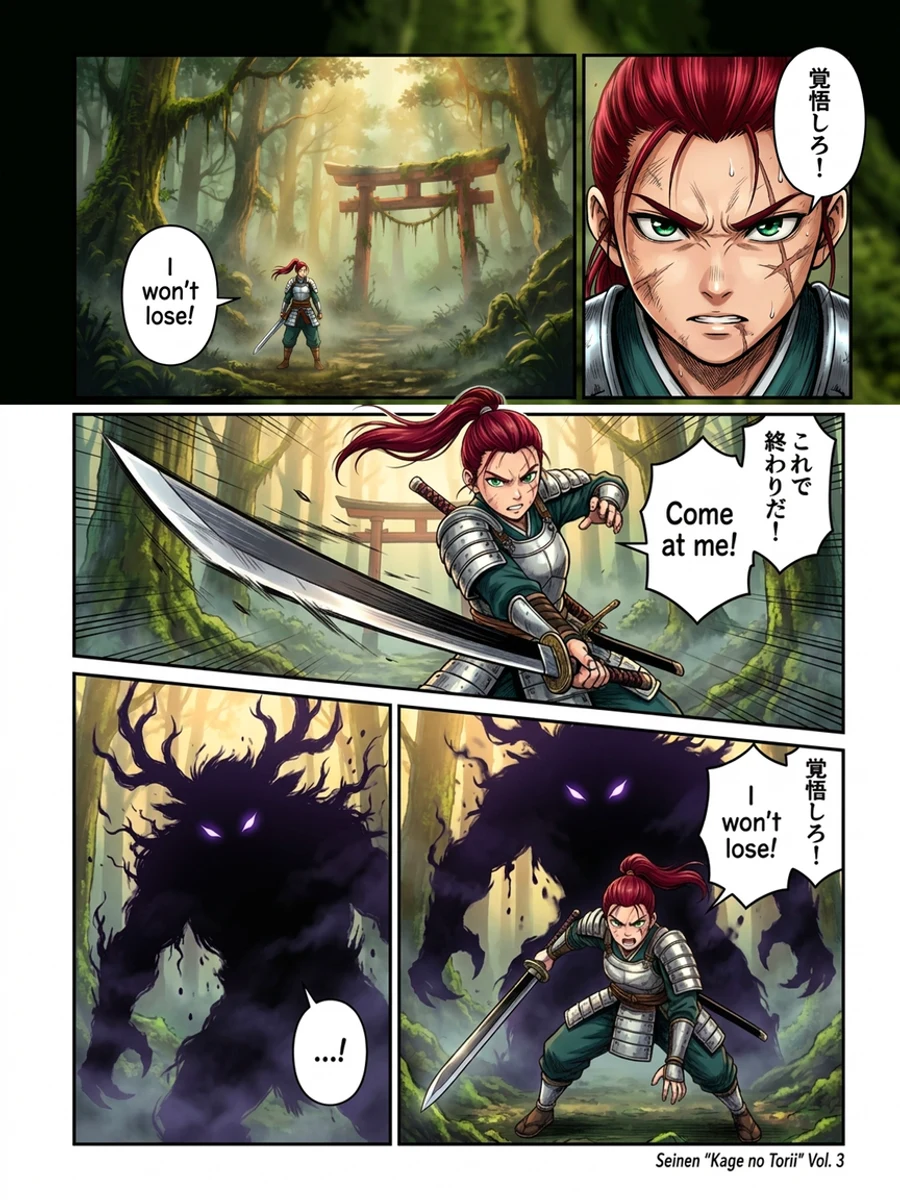 Color
ColorThe Proof Is in the Consistency
Talk is cheap, so here's the actual test every wrapper fails: the same character across different panels, colored to the same palette. Watch the hair, the eyes, the outfit — they don't move.
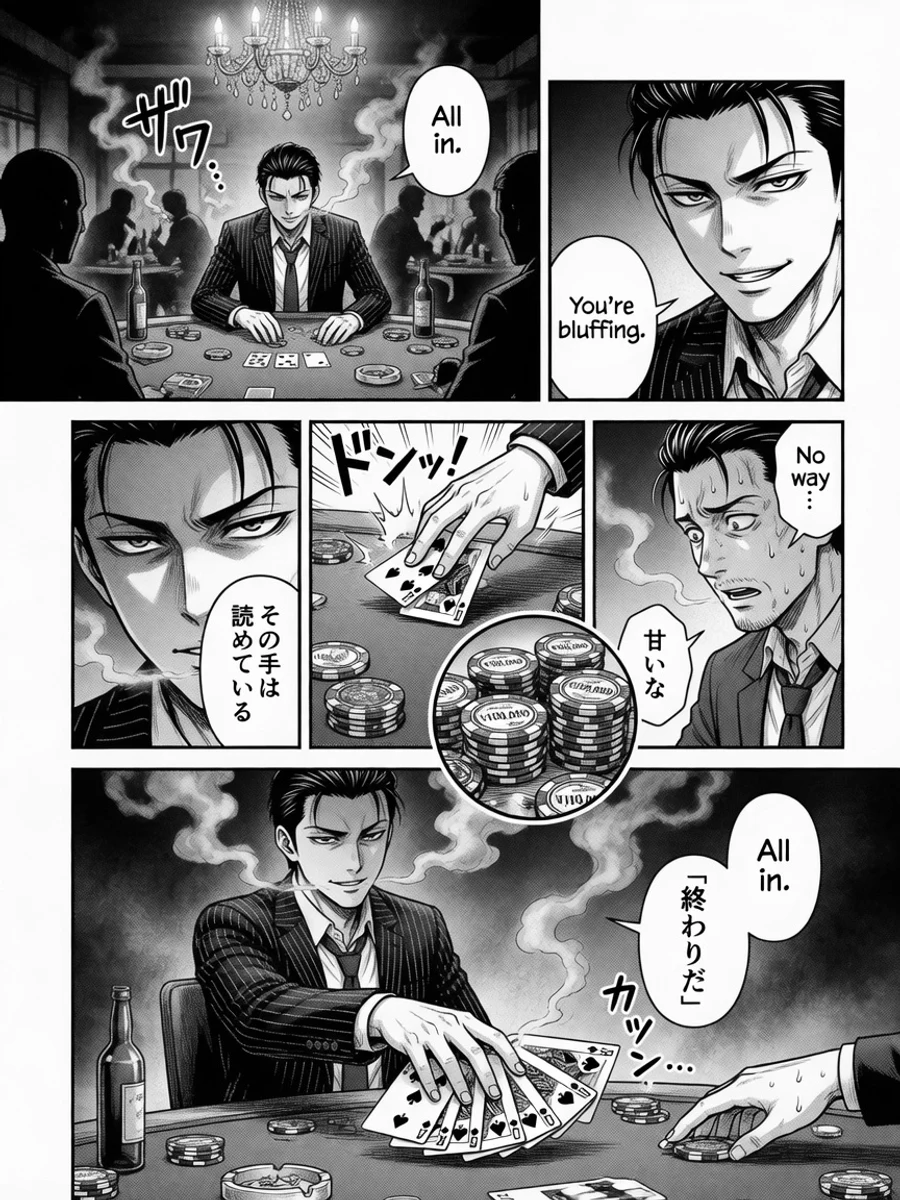 B&W
B&W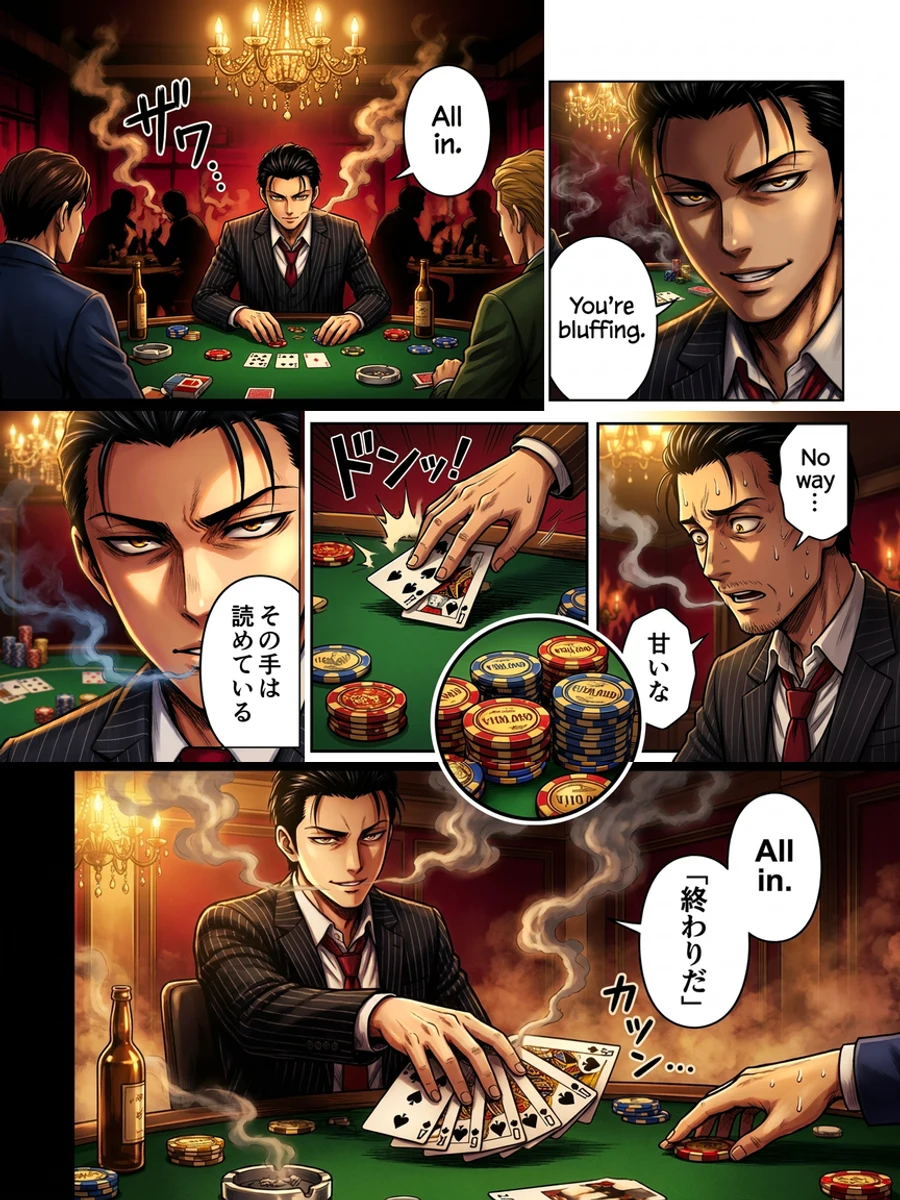 Color
ColorThe Bottom Line
A wrapper can make one nice image. That's not the job. The job is a hundred pages where your protagonist is recognizably the same person in the same clothes under consistent light — a chapter a reader forgets was ever black and white. That takes a pipeline, not a prompt box.
If you've been fighting a free tool that repaints your characters every page, you already understand the difference. Bring a chapter and watch it hold together.