 Watashi Games
Plausible Is Not the Same as Right
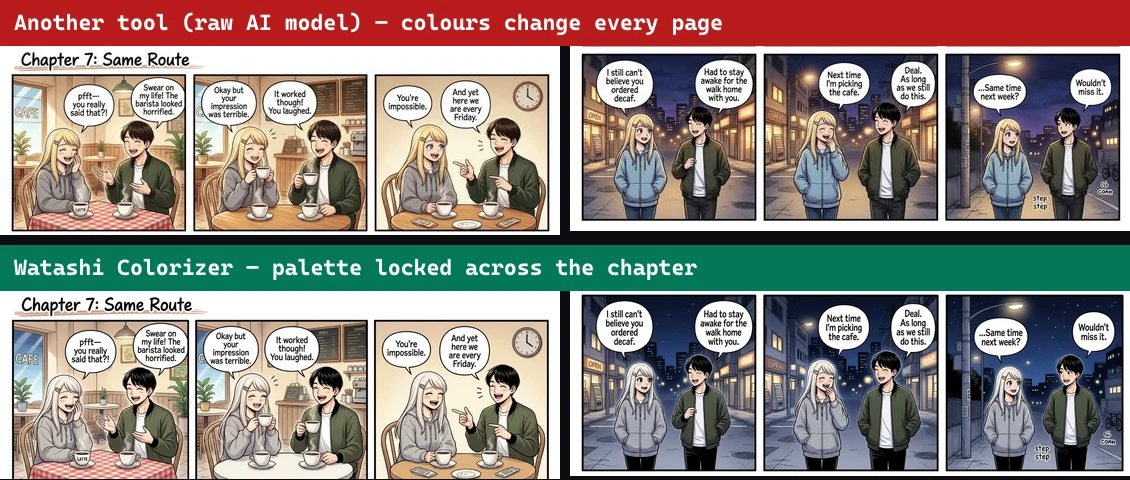
Every general-purpose image model can color a manga page. Paste one into any of them and you will get something back in under a minute, and at a glance it looks fine. The trouble starts on page two, when the same character comes back with different hair. Then a speech bubble comes back with the text subtly redrawn. Then a pure-black gutter comes back filled with invented artwork.
None of this is the model being bad at art. It is the model doing exactly what it was trained to do: produce a plausible image. A manga page is not one image. It is a sequence of panels, sharing a cast, printed with real text, separated by structural blacks, and belonging to a chapter that has to match the chapter before it. Plausible-per-page is the wrong objective, and no amount of prompting changes the objective.
Watashi Colorizer is built around that difference. Below are six of the engineering decisions that follow from it. They are not exotic, but each one exists because we watched something fail without it.
 B&W
B&W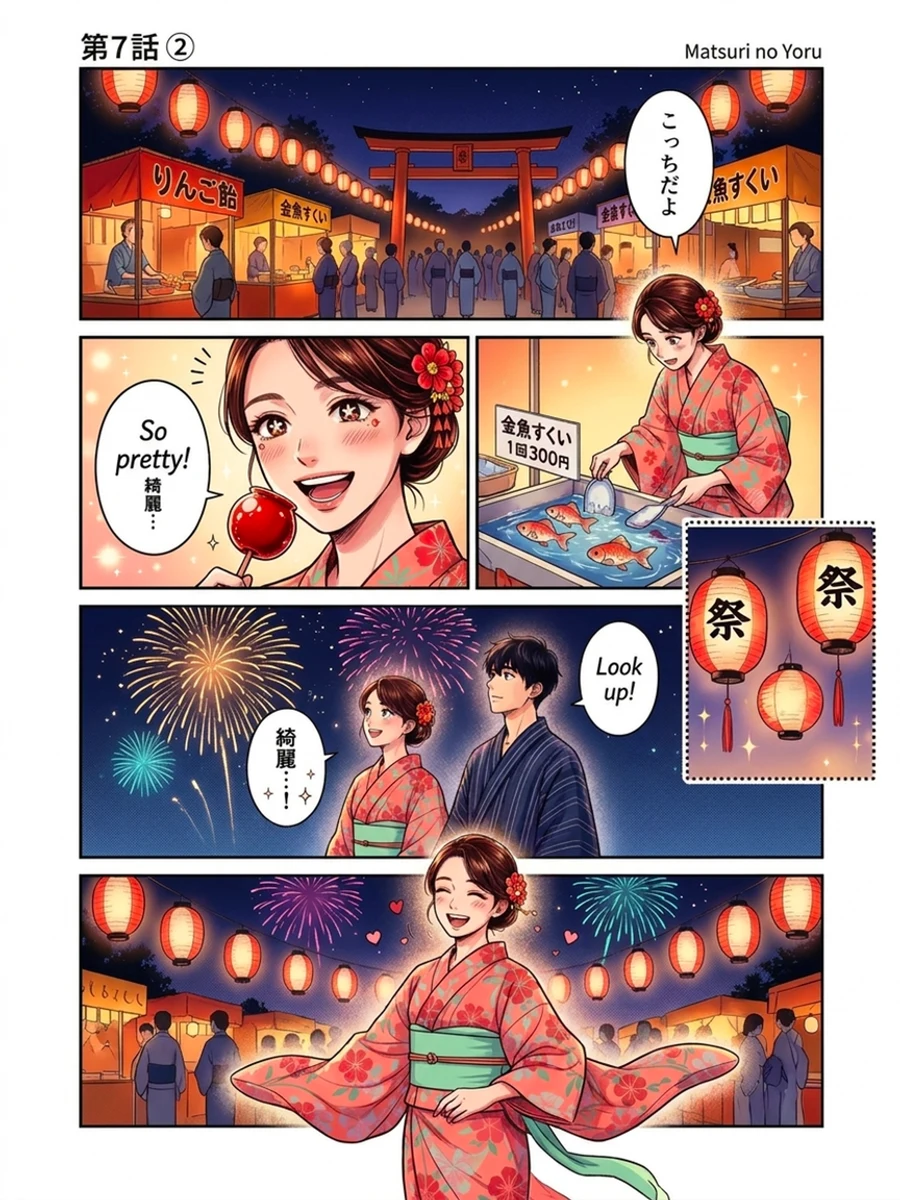 Color
Color1. Weights Chosen by Bake-Off, Not by Press Release
Most colorizers are a thin wrapper: user image goes to a public API, colored image comes back. That makes the wrapper only as good as whatever the API vendor shipped this quarter, and it means the tool inherits every one of that vendor's blind spots, including the content it refuses to touch.
We run our own weights on our own GPUs, and we choose them by testing rather than reputation. New candidate models get run head-to-head against the model in production, on the same real pages, with a human comparing outputs side by side. Most candidates lose. The ones that win do so on evidence, and the losses get written down so the same dead end is not explored twice.
The current engine is a colorization-specialized fine-tune rather than a stock general model, which is the single biggest reason skin reads as skin and backgrounds get finished instead of left grey.
2. Instructions Validated One Clause at a Time
The instructions we send with every page were not written in one sitting. They were assembled by testing each clause on its own and keeping only what measurably changed the output.
That discipline matters because prompt writing is full of intuitions that turn out to be backwards. The clearest example from our own work: a line listing colors skin must never be produced a page where skin came out in exactly those colors. Naming a thing you do not want makes it more likely, not less, and the fix was to state only what the correct result looks like. We would never have found that by reasoning about it. We found it by testing one clause and looking at the result.
So the working set is short and each part earns its place: commit to a flesh tone, finish every background, keep anatomy the shape it was drawn, and preserve the linework and text exactly. Remove any one of them and a specific failure comes back.
3. Sending the Model More of the Page
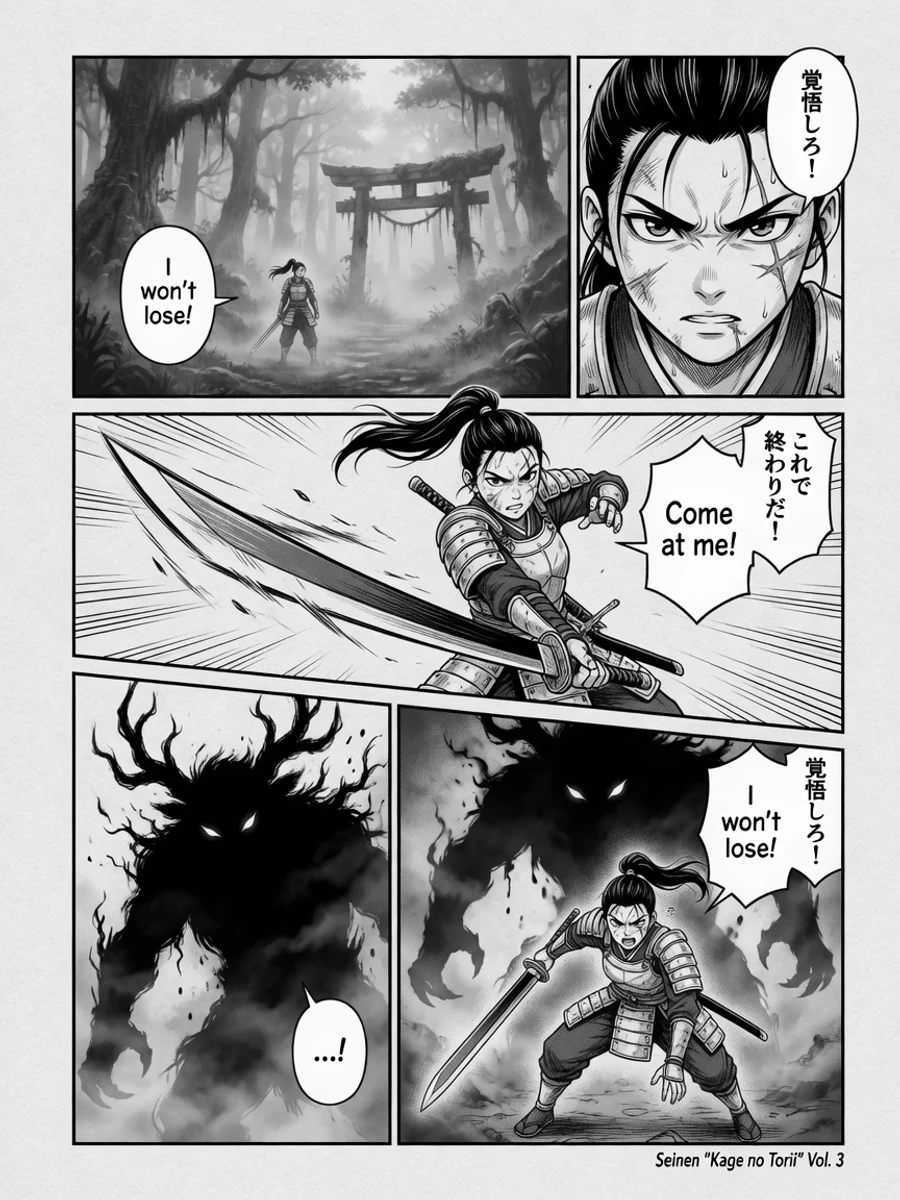
Image models work at a fixed internal size. Send a large scan and it gets downscaled before the model ever sees it, and everything small on that page, faces in a wide shot, text in a background sign, fine hatching, arrives as a smudge. The model then colors the smudge, because that is all it was given.
We found this the hard way while chasing a colouring bug that would not respond to any amount of prompt work. The same region, cropped and sent on its own, came back correct every single time. The model had always known the answer; it had never been able to see the question.
So pages are ingested at the largest size the engine can actually use rather than a convenient default, and output is returned at the exact dimensions of the file you uploaded.
 B&W
B&W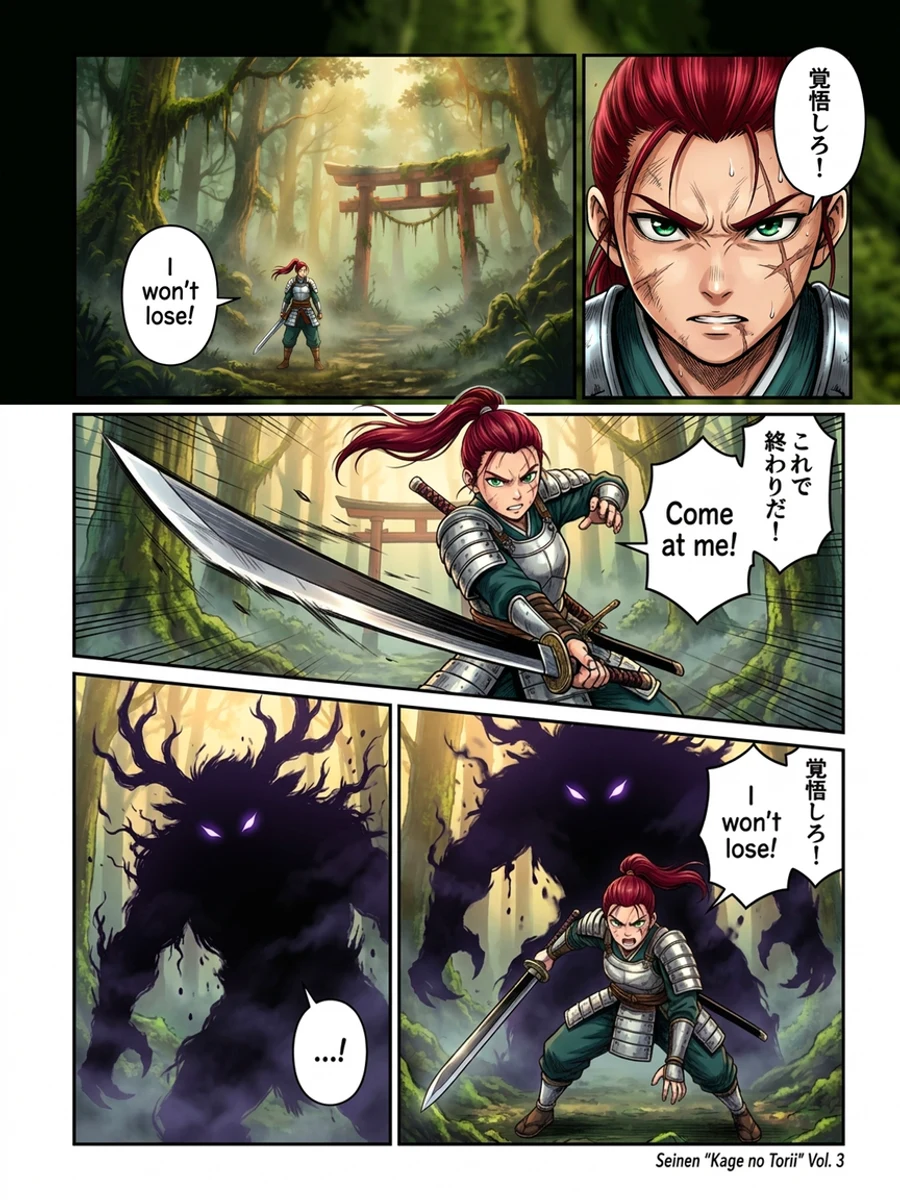 Color
Color4. Reading the Page as Panels, Not as a Rectangle
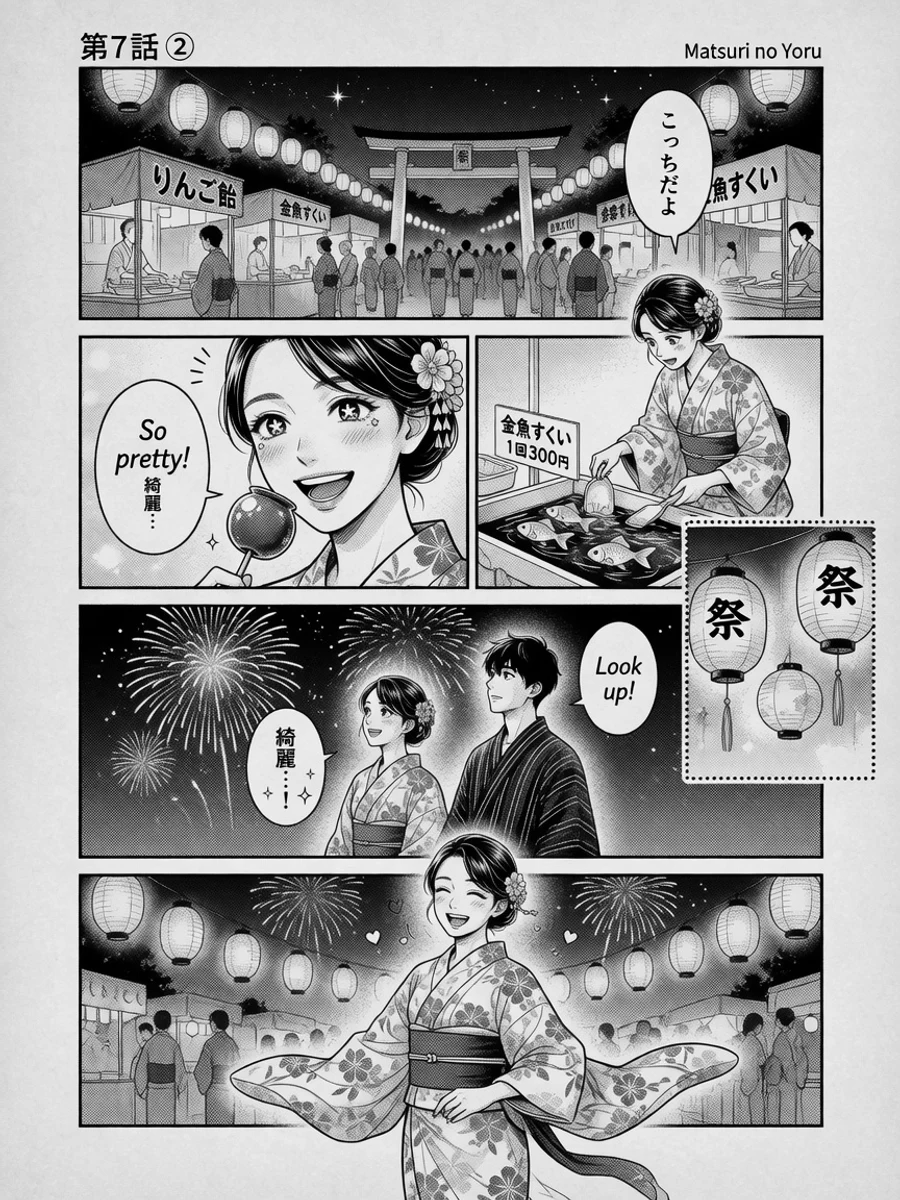
A manga page has structure that a general model has no reason to care about: panel borders, gutters, and pure-black separators that must stay pure black. Colorize the rectangle and that structure is treated as texture, which is how you end up with a gutter full of invented scenery.
Our pipeline detects panel boundaries and art bands before anything is colored, and it splits at real boundaries only. Cutting through a panel is worse than not cutting at all, because the two halves get colored independently and never agree, so the splitter refuses rather than guess.
- Panel-aware splitting so each region gets the model's full attention
- Gutter and black-level preservation so structural blacks stay structural
- Palette anchoring so recurring characters keep the same hair, eyes, and outfit
- Text and linework preservation so dialogue survives the colorize
Combined with palette anchoring, where a character's colors are pinned rather than re-guessed, this is why a cast stays on-model across a page and across a chapter instead of drifting a shade per page.
5. A Mode for Pages Nobody Else Handles
Japanese print censorship puts a hard black-and-white bar over anatomy. To a colorization model this is genuinely ambiguous: there is no skin information under the bar to work from, so it invents something, and it invents something different on every attempt. In our testing the same page produced brown, grey, orange, and pink across four runs of the same model.
That failure is unsolvable by sampling, because you cannot average your way to information that is not in the input. It needs the model to be told, explicitly, what the bar is and what is underneath it. So censorship handling is a dedicated mode you switch on for the pages that need it.
It is opt-in for a reason worth stating plainly: describing censor bars to a model that is not looking at one makes the model add one. The instruction is powerful, which is exactly why it is scoped to the pages it applies to instead of running on everything.
6. Treating Wait Time as Part of the Product
Self-hosting your own GPUs means paying for them, which means they sleep when idle, which means the first request after a quiet period waits for hardware to wake. That is a real cost of not being a wrapper, and pretending otherwise is how you lose people mid-job.
So the engine starts warming the moment you choose the model, before you have finished picking files, which removes the wait entirely for most jobs. When a wait is unavoidable, the progress screen says so in plain language rather than showing a countdown it cannot keep.
A timer that expires and restarts is worse than no timer at all: it converts a slow job into an apparent lie. If an estimate is beaten, we stop estimating and switch to honest elapsed time with an explanation, and you can opt in to a notification so leaving the tab is safe.
None of This Is Magic
Every item above is unglamorous. Test candidates instead of trusting marketing. Validate instructions one at a time. Send the model enough pixels. Respect the page's structure. Build a mode for the hard case. Be honest about waiting.
What makes the difference is not any single technique but the fact that a manga page is treated as a manga page from ingestion to export. That is the whole gap between something plausible and something you can publish.
The tool is free to try, and the fastest way to evaluate any of this is to run a page you already know well and see whether it comes back as the page you drew.